Rail Planet – Space Maps
About the Moon & Alien Worlds
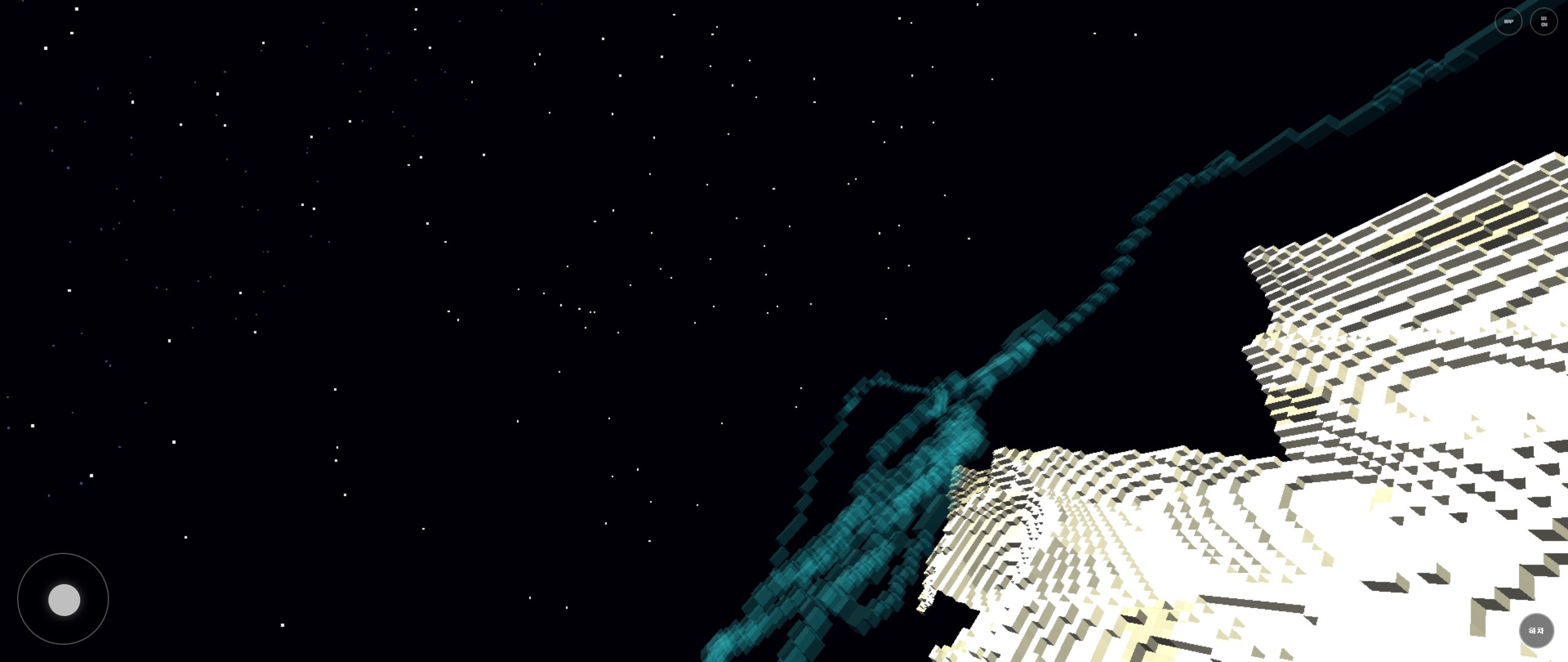
Moashoo develops and operates this space edition of Rail Planet. It contains two purpose-built voxel worlds with no water, plants, clouds, weather, or living scenery: a bright Moon crater field under a black sky and a rust-colored alien planet framed by rings. The sparse environments make rails, ridgelines, destructible terrain, and player-built structures the main navigation landmarks.
Maps included
- Moon CraterA dry, airless map with bright crater ridges, a deep black star field, and no weather or water to interrupt long rail views.
- Ringed Alien PlanetA darker, rust-toned world with steeper ridges, an alien sky, and a ringed-planet silhouette that separates it visually from the Moon.
What makes this world different
- The two maps remove ordinary weather, vegetation, surface water, and wildlife so terrain shape and the space sky define each route.
- Open sightlines make long rail runs and distant player-built objects easier to read than in dense city or wetland maps.
- The Moon uses pale crater terrain while the alien world uses warmer ridges and a ringed horizon; they are separate map profiles, not color variants of one level.
How to play
- Choose Moon Crater or Ringed Alien Planet in the map menu, then use Start Game to enter the selected world without a separate landing page.
- Travel on foot or use the Rail tool to create a route across ridges; Help and Joystick explain keyboard, touch, and controller input.
- Destroy or build terrain and objects freely, or keep Challenge mode on to unlock weapons through score checkpoints.
Official Rail Planet guides
Developed by Moashoo
Moashoo directly develops, tests, and operates Rail Planet's browser engine, map profiles, movement, vehicles, rail building, destructible environments, combat systems, and official guides.
Visit the official Rail Planet home · How Moashoo develops Rail Planet
Advanced Settings
Network Play
When this game is loaded from the Server app, it connects to the room server on the same address.
Help
WASD move Space jump / fly up Shift fly boost F fly M mobile test P music
1-4 direct weapons 5-7 creation skills 8 rail ride/walk 9/0/-/= empty slots Right click hold selected weapon fire; with Laser, toggle scope Wheel scope zoom R rail ride/walk C create/ride car Z 1st/3rd person O avatar front/back
Gamepad LS move RS camera/menu pointer RT fire A jump/up/menu click Start menu toggle LB/RB slot change
Mobile touch screen tap: fire selected weapon toward the tapped aim drag: camera rotate FIRE: selected weapon fire RAIL: rail ride/walk CAR: create/ride car JUMP while rail riding: exit rail 3P/1P: camera FRONT/BACK: avatar direction
Auto climb climbs 2-block steps and hills bulldozes taller obstacles all objects can be stood on
Vehicle city road cars default forward view OFF, mantle/magma cars default forward view ON Space/JUMP toggles vehicle forward view lock
Score earn score/combo/critical by explosive object hits; fill the top gauge to enable MAP
Creation skills 5: mountain 6: ancient tower 7: beanstalk 8: rail ride/walk and auto-create
Minecraft Map Guide and Disclaimer
This feature reads the local zip file you choose and imports only its appearance. All railway planets does not provide, sell, redistribute, or upload external map files.
Terms of Use
- Free download only means you can download without paying. It may not mean you can use it freely inside a commercial game.
- External map rights usually belong to the map creator. Check the download site and creator terms.
- When showing the map in videos, streams, screenshots, ads, store images, or landing pages, crediting the map name, creator, and source page is recommended.
- If you do not know the creator or source, check the download page again. Avoid using unknown maps prominently in promotional material.
External Site Disclaimer
- All railway planets is not affiliated with, sponsored by, approved by, or operated with MinecraftMaps.com.
- The Open Map Site button is only a convenience link for users to visit an external site themselves.
- All railway planets does not manage or guarantee external posts, ads, links, downloads, accounts, payments, privacy handling, outages, or policy changes.
- Users are responsible for checking file safety, copyright, terms, and device/browser issues when downloading and running maps from external sites.
Supported Scope
- The loader currently prioritizes Java Edition zip Overworld terrain block appearance.
- Command blocks, redstone circuits, entities, chest contents, scoreboards, datapacks, resource packs, music, and custom models are not reproduced by this game system.
- Maps that depend on resource packs or commands may look different from original Minecraft.
- Very large zips or newer Minecraft-version maps may not open yet or may be slow.
Safety
- Avoid fake download buttons on ad pages and select only the real map zip.
- This game does not upload the selected zip to a server. File contents are read only in the current browser/WebView memory.
- Do not open files from unknown or suspicious sources.
Unofficial Notice
NOT AN OFFICIAL MINECRAFT PRODUCT. NOT APPROVED BY OR ASSOCIATED WITH MOJANG OR MICROSOFT. Minecraft is a trademark of Mojang Studios. All railway planets is responsible for its own loader and gameplay only.
3D Model Villain Guide and Disclaimer
This feature reads a local zip file you choose and converts FBX/GLB 3D models into destructible voxel villains. All railway planets does not provide, sell, redistribute, or upload external 3D model files.
Supported Formats
- FBX and GLB 3D model files inside a zip archive.
- Textures (PNG/JPG) bundled in the same zip are sampled for voxel colors.
- Models without textures use vertex colors or material colors for voxel coloring.
- Multiple models in one zip spawn one at a time in random order without repeats.
Gameplay
- Villains spawn as voxel block structures that can be destroyed with weapons.
- When 70% or more of a villain is destroyed, it is eliminated and another unused model appears at random.
- Free 3D models from external sites are used solely as destructible villain targets in this game.
External Site Disclaimer
- All railway planets is not affiliated with, sponsored by, approved by, or operated with Poly.pizza or any 3D model sharing site.
- The 3D Model Site button is only a convenience link for users to visit an external site themselves.
- All railway planets does not manage or guarantee external posts, ads, links, downloads, accounts, payments, privacy handling, outages, or policy changes.
- Users are responsible for checking file safety, copyright, license terms, and device/browser issues when downloading 3D models from external sites.
Safety
- This game does not upload the selected zip to a server. File contents are read only in the current browser/WebView memory.
- Do not open files from unknown or suspicious sources.
- Check the license of each 3D model before use. Free download does not always mean free commercial use.